Best Free Structural Analysis Software in 2026
Professional structural analysis software traditionally costs thousands per year. In 2026, there are genuine free and affordable alternatives that handle real engineering work. This guide compares them honestly - features, limitations, and pricing - so you can pick the right tool for your needs.
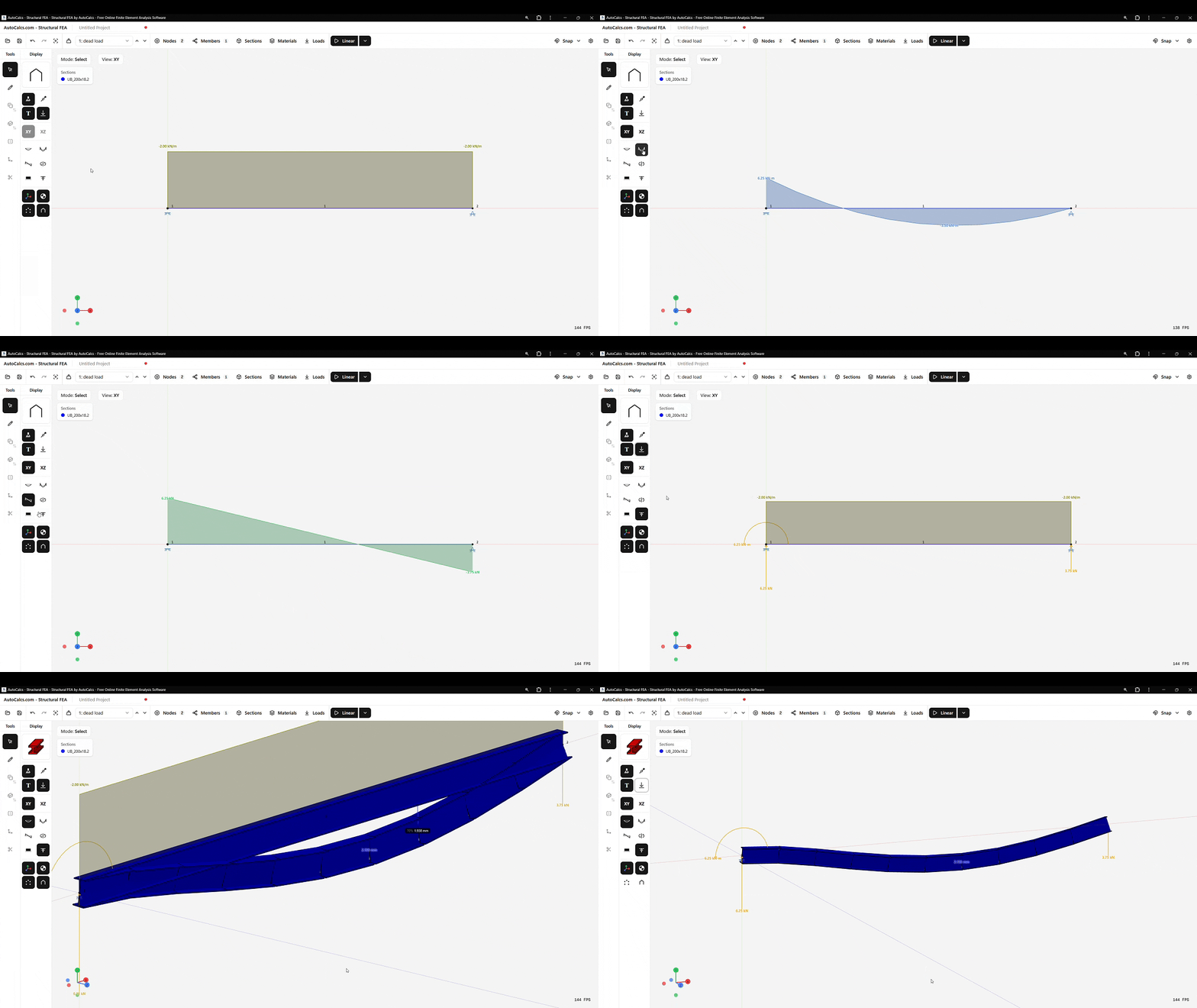
AutoCalcs: 3D FEA in your browser with integrated AISC, EC3, AS4100, and CSA S16 design checks
Feature Comparison at a Glance
| Feature | AutoCalcs | SkyCiv | Calcs.com | MASTAN2 | OpenSees |
|---|---|---|---|---|---|
| Pricing | Free (8 nodes) / $40/mo Pro | 5 elements free / from ~$69/mo | Trial / from ~$79/mo | Free | Free |
| Browser-based | |||||
| 3D structural analysis | |||||
| Design code checks | 4 codes (usage limits) | Multiple (Pro ~$190/mo) | Multiple | None | None |
| Linear static analysis | |||||
| P-Delta analysis | Pro only | ||||
| Buckling analysis | |||||
| Modal analysis | Pro only | ||||
| Plate / shell elements | |||||
| Section library | |||||
| No signup needed | |||||
| Handcalc export | Pro | Pro |
* All prices are in USD or USD equivalent. Competitor pricing based on published monthly rates as of March 2026.
Detailed Reviews
AutoCalcs - Best Free 3D FEA with Design Code Checks
AutoCalcs is a browser-based 3D structural analysis tool built for engineers who need quick, code-compliant results without the overhead of desktop software. It uses the Direct Stiffness Method to solve beam, frame, plate, and truss models in full 3D, with support for linearised second-order elastic P-Delta, elastic buckling, and modal (natural frequency) analysis.
Integrated design code checking is available to all users - four engines covering AISC 360-16, Eurocode 3, AS4100, and CSA S16 run member-level checks directly from your analysis results. Pro users get unlimited checks and detailed handcalc PDF exports showing every intermediate step, clause reference, and utilisation ratio. Even on Pro, the pricing is a fraction of what traditional desktop software or competing cloud platforms charge.
The built-in section library includes thousands of real profiles - steel W/UC/UB shapes, HSS/RHS/CHS tubes, channels, angles, tees, and timber sections across US, European, UK, Australian, and Canadian standards.
Strengths
- Free tier with full analysis features (8 nodes)
- 4 design code engines (handcalc export on Pro)
- No download, no signup, instant access
- P-Delta, buckling, and modal analysis included free
- Quadrilateral and triangular plate elements
- Thousands of real section profiles
Limitations
- Free tier capped at 8 nodes
- No solid elements or nonlinear shell material models
- Newer tool - smaller community than legacy software
SkyCiv - Cloud Platform for Teams
SkyCiv is a well-established cloud-based structural analysis platform. It offers 3D frame analysis, multiple design code modules, and team collaboration features. The interface is polished and the documentation is extensive.
The main drawback is cost. The free tier allows linear analysis but is restricted to 5 elements (members or plates), 2 supports, and 3 loads. The Basic plan (~US$69/month) raises the node limit to 2,000 but still excludes design code checks and advanced analysis like P-Delta. Design code modules and advanced analysis only unlock on the Professional plan (~US$190/month). For firms that need collaboration tools and API access, SkyCiv is a solid choice, but meaningful engineering work requires a paid subscription.
Strengths
- Mature cloud platform with team features
- Multiple design codes available
- API access for automation
Limitations
- Free tier: 5 elements, 2 supports, 3 loads
- Design codes and advanced analysis require Professional (~$190/mo)
- Signup required
Calcs.com - Design Calculations, Not FEA
Calcs.com takes a different approach - it focuses on design calculations rather than full FEA modelling. Think of it as structured spreadsheets for code-compliant beam, column, and connection design. It does not build 3D models or solve global stiffness matrices.
This is great for quickly checking individual members against design codes, but it cannot analyse how forces distribute through a structure. There is no free tier - only a trial period before paid subscription kicks in.
Strengths
- Clean design calculation workflow
- Multiple design codes
- Good for compliance documentation
Limitations
- Not a structural analysis tool - no FEA
- No free tier
- Cannot model load paths or frame behaviour
MASTAN2 - Academic Workhorse
MASTAN2 has been a fixture in structural engineering education for years. Developed by academics, it offers both first-order and second-order (elastic and inelastic) analysis with transparent formulations. It is completely free and does genuine 3D analysis.
The trade-off is usability. MASTAN2 requires a desktop installation (a standalone version is available that bundles the MATLAB runtime), has a dated interface, no built-in section library, and no design code checking. You enter section properties manually and interpret raw results yourself. For understanding structural behaviour in a classroom setting, it is excellent. For production engineering work, the workflow is slow.
Strengths
- Completely free, no restrictions
- Strong nonlinear analysis capabilities
- Transparent academic formulations
Limitations
- Desktop install required (bundles MATLAB runtime)
- No design code checks
- No section library - manual property input
- Dated interface, steep learning curve
OpenSees - Research-Grade Power
OpenSees (Open System for Earthquake Engineering Simulation) is an open-source framework for simulating structural and geotechnical systems. It is arguably the most powerful free structural analysis engine available - supporting advanced nonlinear material models, dynamic time-history analysis, and fibre-based section modelling.
However, OpenSees is a scripting framework, not an application. You write Tcl or Python scripts to define models and run analyses. There is no graphical interface (separate GUIs exist but are limited). It is designed for researchers, not for everyday design office work.
Strengths
- Free and open source
- Extremely powerful nonlinear and dynamic analysis
- Large research community and publication base
Limitations
- No graphical interface - scripting only
- No design code checks
- Very steep learning curve
- Not practical for routine design tasks
What About Desktop Software?
Industry-standard desktop tools like SAP2000, ETABS, STAAD.Pro, Robot Structural Analysis, and RISA-3D remain the backbone of large engineering firms. They handle complex building models, dynamic analysis, and regulatory workflows that browser-based tools cannot match yet.
The trade-off is cost and access. Annual licenses typically run from $3,000 to $10,000+ per seat, require IT installation, and often need training. For students, solo practitioners, and small firms doing everyday frame and beam design, that cost is hard to justify when free tools now cover the most common use cases.
If your work involves complex multi-storey buildings, seismic response spectrum analysis, or integrated BIM workflows, desktop software is still the right choice. For steel frame design, plate models, quick checks, learning, and small-to-medium projects, the free tools reviewed above genuinely get the job done.
How to Choose the Right Tool
The right tool depends on what you are actually doing. Here is a practical decision guide:
Quick 3D frame, truss, and plate analysis with optional design code checks
Use AutoCalcs - 3D FEA instantly in your browser. Linear, P-Delta, buckling, modal, and flat plate analysis all on the free tier. Integrated AISC, EC3, AS4100, and CSA S16 design checks (usage limits on free, unlimited on Pro at $40/mo).
Team collaboration on engineering projects
Use SkyCiv or desktop software - built for multi-user workflows and project management.
Learning structural mechanics and FEA fundamentals
Use AutoCalcs or MASTAN2 - both free, with AutoCalcs being more accessible and MASTAN2 offering deeper nonlinear theory.
Advanced research (nonlinear dynamics, earthquake engineering)
Use OpenSees - unmatched capability for researchers comfortable with scripting.
Complex multi-storey buildings and BIM integration
Use desktop software (SAP2000, ETABS, STAAD.Pro) - this is what they are built for.
Try AutoCalcs Free
No download. No signup. Build a 3D model and run the analysis free in your browser. Upgrade to Pro for unlimited design checks and handcalc PDFs.
Last updated: March 7, 2026. Pricing and features are subject to change. Always check the official vendor websites for the latest information.